Guides · Newsletters
How do I make a company newsletter with AI in Microsoft 365?
Ask an AI assistant such as Claude, ChatGPT or Copilot to turn your teams' updates into a short staff newsletter, then send it from your own Microsoft 365 mailbox. Outlook's built-in Newsletters feature publishes one edition to subscribers. Groupmail 7 sends each colleague their own copy with their name, and Codex or Claude can set that up for you to approve.
Your options compared
Checked 29 October 2026 against Microsoft's pages:
| Option | Cost | Each colleague's name | Best for |
|---|---|---|---|
| Outlook Newsletters | Included in Microsoft 365 | Not described | Regular editions |
| Viva Amplify | From $2 per person a month | Not described | Large comms teams |
| Copilot in Outlook | A Copilot plan | No | One-off drafts |
| AI + Groupmail 7 | $599 | Yes | Small and mid-sized teams |
- Outlook Newsletters is built into the new Outlook for Windows and Outlook on the web, for work and school accounts on Microsoft 365 plans that include SharePoint. Readers can react and comment. Your admin can switch it on or off for each person, so if you can't see Newsletters in Outlook, ask IT.
- Viva Amplify is Microsoft's internal campaigns tool. Everyone who creates or receives campaigns needs a Viva licence; Microsoft lists Viva Employee Communications and Communities at $2 per user a month, paid yearly with an annual commitment.
- Copilot in Outlook helps you draft the email, which you then send yourself.
- Groupmail 7 sends each colleague their own email, with their name, from your mailbox. After the first year, updates are $175 a year until you cancel. Your AI plan is separate.
Why send from your own mailbox
A staff newsletter is internal email to people who expect it, from someone they know. Your Microsoft 365 mailbox is the right place to send it from. Microsoft's warning about bulk email is about commercial newsletters to the public, which belong on a sending service.
Microsoft counts every recipient, inside or outside your organisation: up to 10,000 a day per mailbox, 30 messages a minute. Groupmail paces a Microsoft 365 account at up to 1,800 an hour, so 400 colleagues take about 14 minutes. The full figures are in What are the Microsoft 365 sending limits?.
How to make it with AI, step by step
1. Collect the news
Ask each team for two or three lines by a set day, in an email or a shared document. Paste the replies into your assistant.
2. Ask the AI for the draft
Turn these team updates into our monthly staff newsletter.
Sections: one lead story, team news, dates for the diary, a welcome to new starters.
Under 400 words, warm and plain, no jargon or hype.
Start with "Hi {{first_name}}," and give me three subject lines.
Then check every name, date and number yourself. Assistants can be confidently wrong, and colleagues notice.
3. Get the staff list
Ask IT for a CSV of staff with email, first name and last name. Microsoft 365 admins can export it from Users → Active users. Ask your assistant to remove shared mailboxes, rooms and leavers, then save it as CSV UTF-8 (How do you mail merge from Excel to email?).
4. Let the assistant set it up in Groupmail 7
This needs an assistant that can use apps on your computer:
- Codex: Computer Use in the Codex app, on Mac or Windows, in OpenAI's supported regions, which include the UK, Ireland and the rest of the EEA.
- Claude: the Claude desktop app on Mac (macOS 14 or later) or Windows, on a Pro plan ($20 a month), Max or Ultra, with computer use switched on. Anthropic calls it a preview.
Copilot and plain ChatGPT in a browser can write the newsletter, but they can't use Groupmail 7 for you.
Groupmail 7 has 13 starting designs. Simple Editorial, a calm monthly newsletter with short sections, suits a staff newsletter:
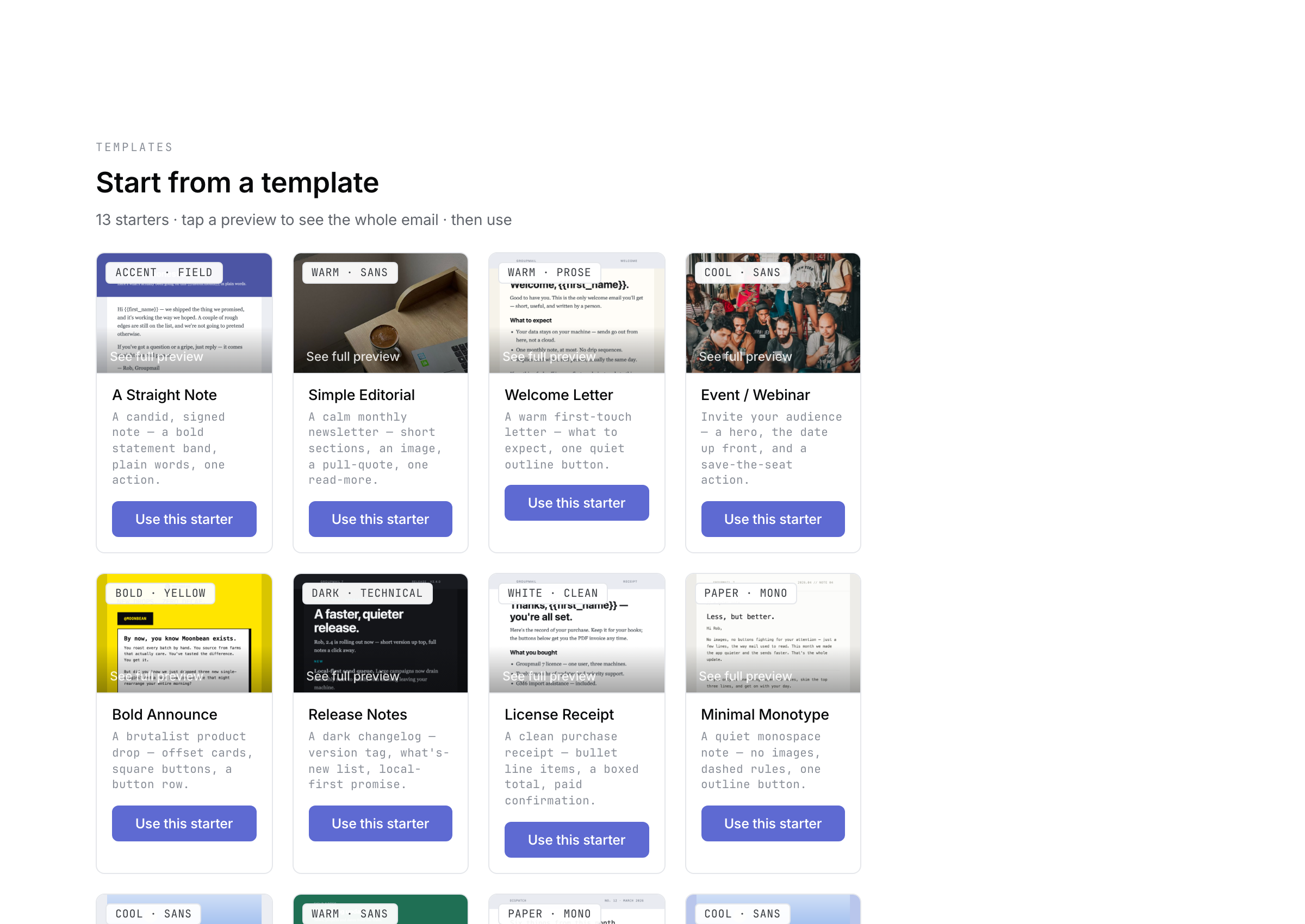 Groupmail 7's starting designs.
In Groupmail 7: import staff.csv into a group called "All staff",
start a new message from the Simple Editorial template, put in this subject and text,
send from my Microsoft 365 account, and send a test to me.
Don't send or schedule anything yet.
5. Approve, then schedule
Check the test on your computer and phone. Then ask the assistant to open Send or schedule… and stop at the review, which shows the group, how many people and the sending account. When it's right, tell it the time, for example Monday 09:00, and it selects Schedule for that time.
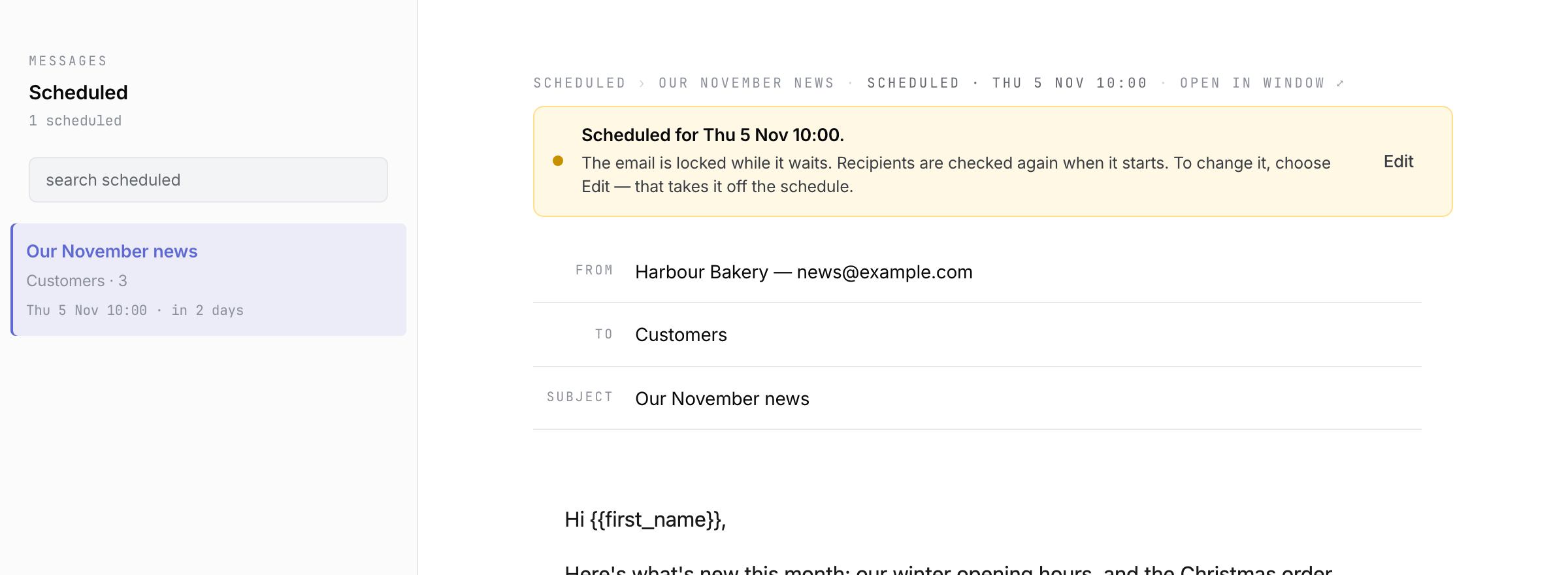 Illustration from a fictional newsletter waiting in Scheduled.
Leave Groupmail open, and the computer awake, at the send time. A missed send never goes out later on its own; you choose to send it, reschedule or cancel (How to schedule a message).
Replies come to your normal Outlook inbox. Groupmail's own Inbox isn't available with Microsoft sign-in.
Before you start
- Your organisation's AI rules. Many organisations decide which AI tools may see staff details. Check with IT first.
- Privacy. Groupmail keeps the staff list on your computer. What your assistant sees on screen, including colleagues' names and addresses, is sent to its AI company for processing. Anthropic advises against letting Claude use apps that show other people's personal information. If you follow that, use the AI only to write, and do steps 3 to 5 yourself.
- Groupmail 7 runs on an Apple silicon Mac or Windows. It's $599, with a free 30-day trial, and the licence is yours to keep. The first year of updates and support is included; updates then renew at $175 a year until you cancel, and if you cancel you keep using the version you have. Your AI plan and sending service are separate.
What Groupmail 7 can't do
- It has no AI of its own. You use your own assistant and plan.
- It doesn't have Outlook Newsletters' reactions, comments or web archive.
- It can't send while it's closed or the computer is asleep.
Questions people ask
Can Copilot write a company newsletter?
Copilot in Outlook can help draft an email from your notes. It doesn't send a personal copy to each colleague; you send it yourself.
Is Outlook Newsletters free?
Microsoft includes it for work and school accounts on Microsoft 365 plans that have SharePoint. Exchange Online plans without SharePoint can't author newsletters.
Do I need Viva Amplify?
Only if you want a full campaigns tool and can licence everyone who receives the campaigns. Most small organisations don't.
How many colleagues can I email from Microsoft 365?
Up to 10,000 recipients a day per mailbox, and 30 messages a minute. Each colleague counts as one recipient.
Can the AI schedule it for Monday morning?
Yes. Codex or Claude with computer use can select Schedule for in Groupmail 7 once you approve the review. Groupmail must be open at that time.
What should a company newsletter include?
A lead story, short team updates, dates for the diary and new starters. Keep it under 400 words, and send it on the same day each month.
Try Groupmail 7 free for 30 days.
No card needed. Then $599 once, with a 30-day money-back guarantee.