Your download should start in a moment.
Groupmail 7 for MacWindows. Install it in three steps, then start your free 30 days. Your trial starts only after you enter the code we email you.
Download again →Need it for Windows?Need it for Mac?
Needs a Mac with an Apple chip (M1 or later) and macOS 11 or later.
This looks like an Intel Mac. Groupmail 7 needs a Mac with an Apple chip, so it won’t open on this one.
Download Groupmail 7.
Free for 30 days, with no card. Install it in three steps, then start your trial with your email.
Download for MacDownload for WindowsNeed it for Windows?Need it for Mac?
Needs a Mac with an Apple chip (M1 or later) and macOS 11 or later.
This looks like an Intel Mac. Groupmail 7 needs a Mac with an Apple chip, so it won’t open on this one.
Download Groupmail 7.
Free for 30 days, with no card. Install it in three steps, then start your trial with your email.
Download for MacDownload for Windows
The Mac version needs an Apple chip (M1 or later) and macOS 11 or later.
Groupmail 7 runs on your computer.
It’s an app for Windows and Mac. Send yourself the link, then download it on your computer. Free for 30 days, with no card.
Email or message it to yourself, or copy the link: groupmail7.com/download
What happens on your computer.
Needs a Mac with an Apple chip (M1 or later) and macOS 11 or later.
Something look different? Install help
Drag it into ApplicationsOpen the setup file
Open the download. In the window that appears, drag Groupmail 7 onto Applications.Find Groupmail 7_0.24.0_x64-setup.exe in Downloads and open it.
 Groupmail 7Groupmail 7
 ApplicationsGroupmail 7_0.24.0_x64-setup.exeTodayApplication
Open it from ApplicationsInstall it
Open Groupmail 7 from Applications. The first time, your Mac asks if you’re sure. Choose Open.If a blue box appears, choose More info and check the publisher is Groupmail Ltd, then Run anyway. If it shows anyone else, or Unknown publisher, choose Don’t run and email us. Follow the installer, then open Groupmail 7 from the Start menu.
“Groupmail 7” is an app downloaded from the Internet. Are you sure you want to open it?Apple checked it for malicious software and none was detected.
Windows protected your PC
Microsoft Defender SmartScreen prevented an unrecognized app from starting. Running this app might put your PC at risk.
- App:
- Groupmail 7_0.24.0_x64-setup.exe
- Publisher:
- Groupmail Ltd
Start your 30 days
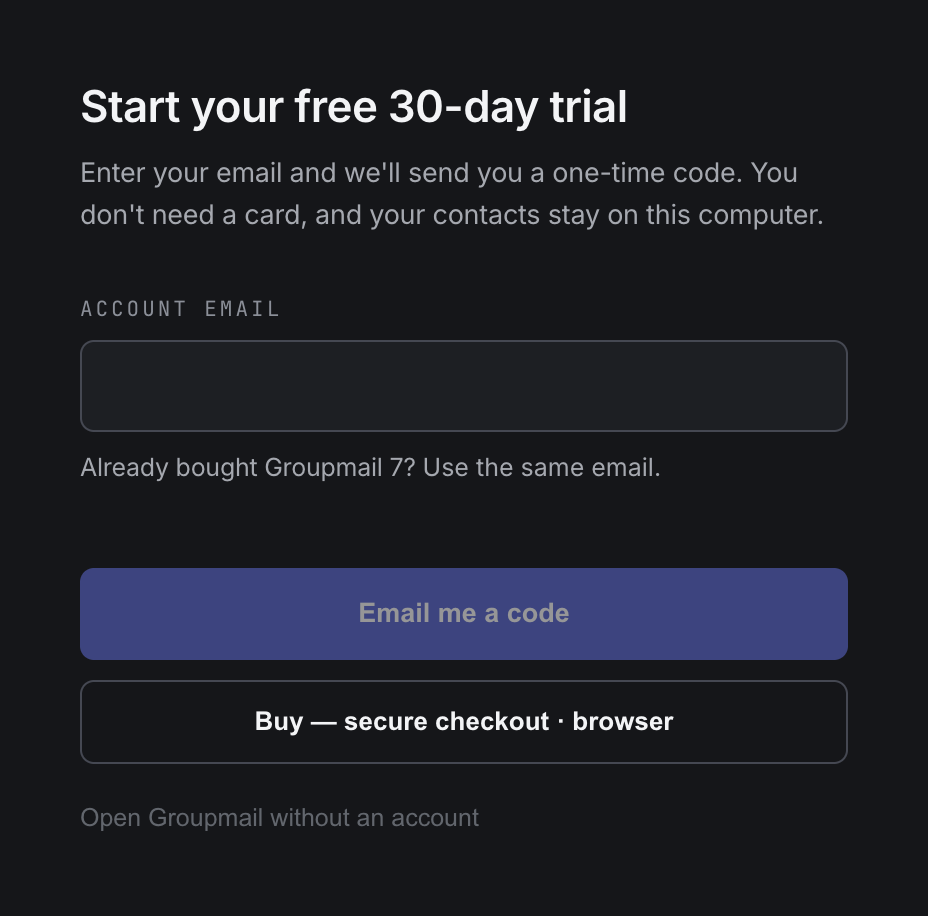
Enter your email and choose Email me a code. Enter the code and your trial starts. No card needed.
Groupmail 7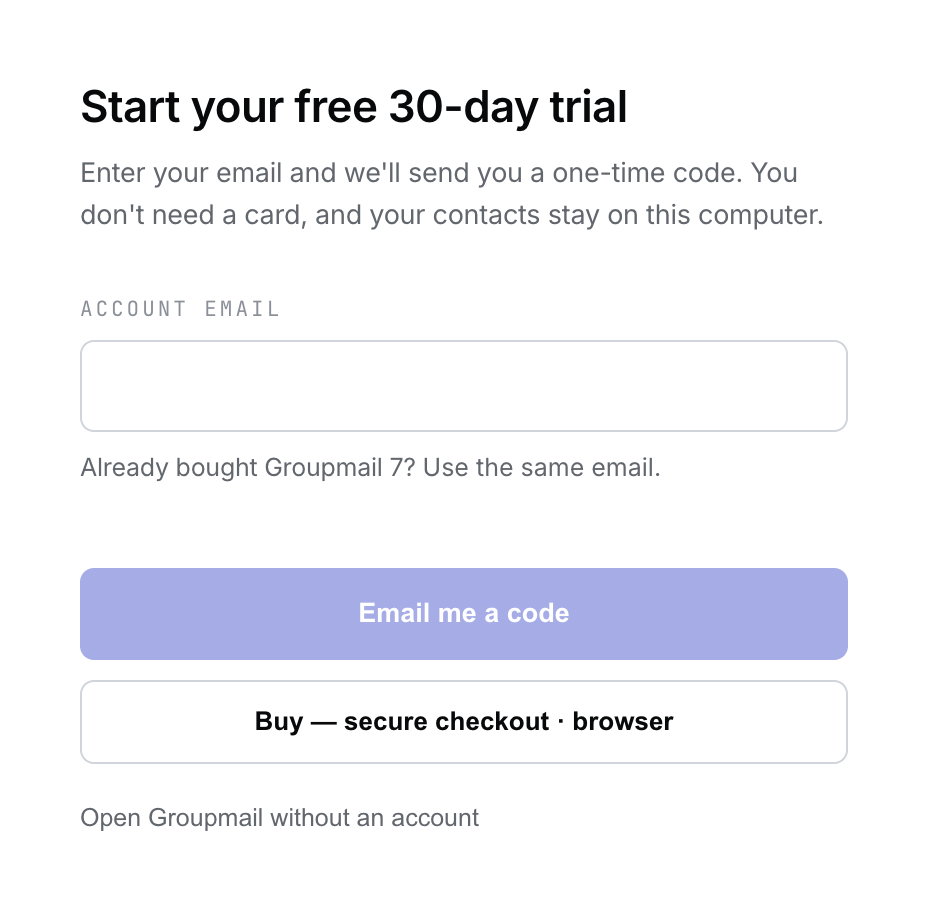
 Groupmail 7
Get ready while
it downloads.
Three things that make your first send quick. None of them need the app yet.
Pick the account you’ll send from.Your own Microsoft 365, Outlook.com, Gmail or other email account. Groupmail sends through it.
Have your list ready.Save it from Excel as a CSV (UTF-8) file. How to save it
Moving from GroupMail 6?Copy its GroupMail folder from your PC to this Mac, then import it in Groupmail 7.Leave it installed. Groupmail 7 imports your groups, contacts and drafts.
Can’t find the download? Open Finder and choose Downloads in the sidebar.Open File Explorer and choose Downloads, or press Ctrl+J in your browser. If it failed, download it again. Your trial starts only after you enter the emailed code in the app, so downloading twice is fine.
Your contacts and messages stay on your computer. Questions? [email protected]
Get ready while
you download.
Three things that make your first send quick. None of them need the app yet.
Pick the account you’ll send from.Your own Microsoft 365, Outlook.com, Gmail or other email account. Groupmail sends through it.
Have your list ready.Save it from Excel as a CSV (UTF-8) file. How to save it
Moving from GroupMail 6?Copy its GroupMail folder from your PC to this Mac, then import it in Groupmail 7.Leave it installed. Groupmail 7 imports your groups, contacts and drafts.
Can’t find the download? Open Finder and choose Downloads in the sidebar.Open File Explorer and choose Downloads, or press Ctrl+J in your browser. If it failed, download it again. Your trial starts only after you enter the emailed code in the app, so downloading twice is fine.
Your contacts and messages stay on your computer. Questions? [email protected]
Get ready before
you download.
Three things that make your first send quick.
Pick the account you’ll send from.Your own Microsoft 365, Outlook.com, Gmail or other email account. Groupmail sends through it.
Have your list ready.Save it from Excel as a CSV (UTF-8) file. How to save it
Moving from GroupMail 6?On Windows, leave it installed and Groupmail 7 imports it. On a Mac, copy its GroupMail folder across from your PC first.
Download Groupmail 7.
Free for 30 days, with no card. Install it in three steps, then start your trial with your email.
Download for MacDownload for Windows
The Mac version needs an Apple chip (M1 or later) and macOS 11 or later.
On a Mac
- 01 · InstallOpenDrag it into ApplicationsOpen the setup file
Open the download. In the window that appears, drag Groupmail 7 onto Applications.Find Groupmail 7_0.24.0_x64-setup.exe in Downloads and open it.
- 02 · First openInstallOpen it from ApplicationsInstall it
Open Groupmail 7 from Applications. The first time, your Mac asks if you’re sure. Choose Open.If a blue box appears, choose More info and check the publisher is Groupmail Ltd, then Run anyway. If it shows anyone else, or Unknown publisher, choose Don’t run and email us. Follow the installer, then open Groupmail 7 from the Start menu.
- 03 · TrialStart your 30 days
Enter your email and choose Email me a code. Enter the code and your trial starts. No card needed.
On Windows
- 01 · InstallOpenDrag it into ApplicationsOpen the setup file
Open the download. In the window that appears, drag Groupmail 7 onto Applications.Find Groupmail 7_0.24.0_x64-setup.exe in Downloads and open it.
- 02 · First openInstallOpen it from ApplicationsInstall it
Open Groupmail 7 from Applications. The first time, your Mac asks if you’re sure. Choose Open.If a blue box appears, choose More info and check the publisher is Groupmail Ltd, then Run anyway. If it shows anyone else, or Unknown publisher, choose Don’t run and email us. Follow the installer, then open Groupmail 7 from the Start menu.
- 03 · TrialStart your 30 days
Enter your email and choose Email me a code. Enter the code and your trial starts. No card needed.
Get ready while
you download.
Three things that make your first send quick. None of them need the app yet.
Pick the account you’ll send from.Your own Microsoft 365, Outlook.com, Gmail or other email account. Groupmail sends through it.
Have your list ready.Save it from Excel as a CSV (UTF-8) file. How to save it
Moving from GroupMail 6?On Windows, leave it installed and Groupmail 7 imports it. On a Mac, copy its GroupMail folder across from your PC first.
Can’t find the download? Look in your Downloads folder. If it failed, use the download buttons at the top of this page. Your trial starts only after you enter the emailed code in the app, so downloading twice is fine.
Your contacts and messages stay on your computer. Questions? [email protected]